On this page
- Start with the survival inventory
- What the code restores — and what it can’t
- Restore in dependency order, not affection order
- The speed reality nobody budgets for
- The phase everyone forgets: every credential is dead
- The payoff: two commands prove the rebuild
- An honest closing: what I have and haven’t proven
Every post in this series has been building toward one question, and it’s time to ask it plainly: if the office where my cluster lives burned down tonight, could I get it all back? Not one dead node — that’s a capacity-planning problem, and a much gentler one. All four nodes, gone, along with every disk in them.
This is the post where the imported definitions, the captured node roles, and the proven lifecycle loop stop being tidiness and start being a disaster-recovery plan. It’s also the most honesty-dense post of the five, because a rebuild plan is exactly the kind of document where a confident guess is worse than a flagged gap.

Stand-ins as always: 10.0.0.x addresses, node names pvelab01–pvelab04, guest IDs like 106, and identity names like terraform@pve!tf are my documentation values — substitute your own. The measured speeds and sizes below are from my lab and my internet connection; yours will differ, which is exactly why the post keeps telling you to measure rather than trust my numbers. If a value looks specific to one machine, it’s a placeholder to change — not a literal to copy.
Start with the survival inventory
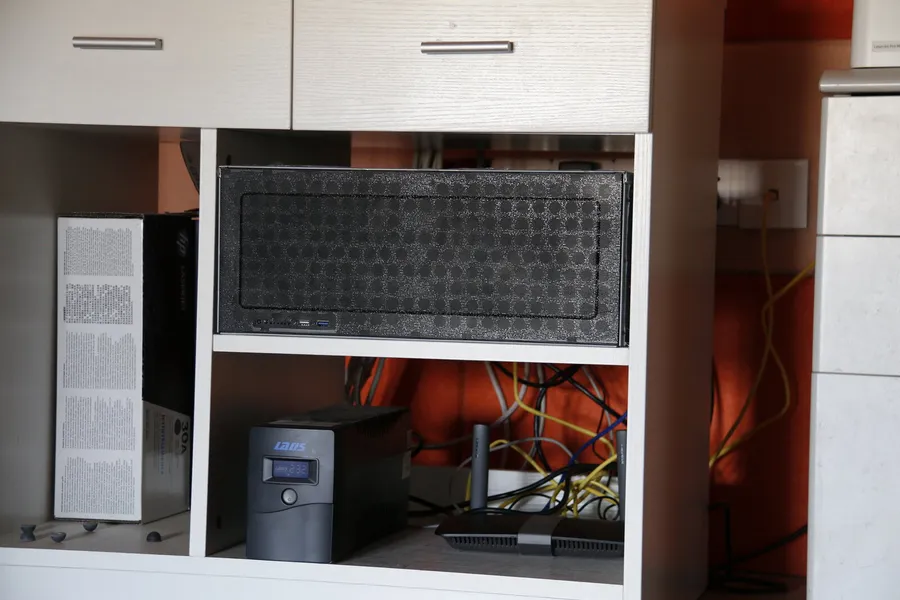
The first act of disaster planning isn’t buying anything — it’s honestly listing what would still exist after the event. My cluster lives at an office; my NAS lives at my house; my laptop lives with me. That geography is the plan:
Three observations that generalize beyond my shelf:
- Backup tiers that live with the cluster protect against disk death, not site death. My fast, deduplicated Proxmox Backup Server tier is the thing I restore from for everyday mistakes — and it sits at the office. In this scenario it contributes nothing. The slow weekly tier at my house is suddenly the only tier that matters.
- The infrastructure code survives because it lives on the laptop and in a remote repository — not because it’s special, but because that’s where code naturally lives. The tooling’s state file died with its cluster-side mirror, and that turns out not to matter: state is re-derivable by re-importing, as we’ll see. Code and backups survive; state is disposable. That asymmetry is worth designing around.
- Secrets survive in the laptop’s store — but every credential the cluster held is dead anyway. More on this below; it’s the phase everyone forgets.
What the code restores — and what it can’t
Being blunt about the boundary, because a rebuild plan that overpromises is a trap with a bow on it. The code asserts guest definitions and node roles. It does not contain guest contents — those are the backups’ job, as decided back in part one. And below both layers sits work that belongs to hands: installing Proxmox from the ISO on replacement hardware, forming the cluster, carving storage, mounting the NAS export. The official installer and cluster docs cover that layer; the code picks up where it ends.
# on the first replacement node
pvecm create homelab

# on each subsequent node
pvecm add 10.0.0.70

# then confirm quorum
pvecm status
Two details from the docs that bite if skipped: nodes should run matching versions, and “Date and time must be synchronized” — the cluster communication layer genuinely cares about clock skew.
Restore in dependency order, not affection order
With a bare cluster standing, the pull to restore your favorite service first is strong. Resist it. The right order is the one where each restore unblocks the next:
Rung one deserves a beat, because it’s the one I’d never have ranked that high before living with a homelab knowledge base: my documentation — including the rebuild runbook this very post is based on — lives in a service on the cluster. During a rebuild, that’s the book of instructions, so it comes back first, and its own restore procedure includes integrity checks before it counts as an authority again. If your docs live in a wiki on the thing you’re rebuilding, the restore order has to account for that circularity — or you keep an off-cluster copy, or both.
The restores themselves are single commands against the surviving tier’s archives — the platform docs note that “A backup archive can be restored through the Proxmox VE web GUI or through the following CLI tools,” pct restore for containers among them:
# list what the surviving storage holds
pvesm list nas-backups --content backup

# restore a guest to its home node's storage
pct restore 106 nas-backups:backup/vzdump-lxc-106-....tar.zst --storage local-lvm
Placement matters. Restore each guest to the node with the resources it actually needs — my biggest AI workload only fits on one node’s RAM, a fact I know because the capacity-planning exercise surfaced it on a calm day rather than during a crisis.
The speed reality nobody budgets for
Here are my measured numbers, and the shape of them matters more than the values. From my on-site backup server, a restore moves at 110–119 MiB/s (measured on a real scratch restore). From the off-site NAS tier, the same operation moved at about 8 MiB/s extracted — roughly 3.3 MiB/s of compressed data over the wire. Fourteen times slower, and there is nothing to tune: the bottleneck is my home connection’s upload speed, because in a total loss the off-site tier is on the wrong side of the internet from wherever the new cluster stands. My production archives total about 31 GiB compressed, so the data movement alone is a 2.5–3 hour floor — before any hands touch anything. Measure your own single-guest restore once, multiply, and write the number down where the 3 a.m. version of you will find it.
The phase everyone forgets: every credential is dead
Restored guests come back believing their old credentials. The cluster those credentials belonged to no longer exists. Proxmox keeps its access-control state — tokens included — in the cluster filesystem at /etc/pve, which the docs describe as “a database-driven file system for storing configuration files, replicated in real time to all cluster nodes using corosync.” Replicated to all nodes — and in this scenario, all nodes died. The database died with them.
So the rebuild needs an explicit re-minting pass, and this is where a written identity table earns its keep. Mine lists each identity, its role, and where the secret lands — the monitoring exporter’s read-only token, the automation tools’ tokens, the pure-auditor token from part one, and the backup server’s token, each re-created and each delivered to the one config file that consumes it. Two platform rules to remember while re-minting, both learned the mildly annoying way:
- Secrets are shown once at creation — the backup server’s docs say it flatly: “The displayed secret value needs to be saved, since it cannot be displayed again after generating the API token.”
- On the backup server, “Permissions for API tokens are always limited to those of the user” — the same intersection logic part four hit on the cluster side, so grant the permission to the user and the token or the token 403s while looking correctly configured.
Re-minting a dozen credentials in an afternoon is exactly the moment a secret ends up pasted in a scratch file “for a second.” Every re-minted value goes directly into your secret store and the one config file that consumes it — nowhere else. A rebuild is a bad day; leaking a fresh credential into your notes makes it two bad days.
The payoff: two commands prove the rebuild
Everything until now was recovery. This is the part that’s verification — and the reason this series exists. The cluster standing in front of you claims to be the old cluster. Is it?
Before this series, that question had no crisp answer — you’d click around, things would look right, and doubt would linger for weeks. Now it has exit codes:
cd terraform && tofu init && tofu plan

# if state died with the cluster, the import blocks from part two
# re-import every guest by node/vmid first — a read-only state
# operation. Iterate until:
#
# No changes. Your infrastructure matches the configuration.
cd ../ansible

# fresh nodes: a real converge first (part four proved this path)
ansible-playbook site.yml

# then the assertion:
ansible-playbook site.yml --check --diff
#   every node: changed=0
Note what made test one possible: losing the state file cost nothing, because the import blocks from part two rebuild state from the live cluster with the read-only token. The record that matters — the configuration — was in git all along.
After the tests pass, the last chores: re-create the backup jobs and let a full cycle run, verify the first night’s archives actually appeared, and re-arm whatever protects the hardware layer. Then the two acceptance commands go back to their day job as standing drift detectors, and the loop closes.
An honest closing: what I have and haven’t proven
Every piece of this plan has been individually drilled in my lab: real restores from both tiers with integrity checks, the vault restore, the plan-zero import, the check-clean run, the scratch lifecycle, and a live cluster formation. The full composition — bare metal to green acceptance tests in one continuous run — has never been executed as a single drill. The seams I know about are flagged through this post; the first real execution will find the ones I don’t, and its deviations get written back into the runbook. A recovery plan is a living document with exactly one author worth trusting: the last rehearsal.
That’s the series. A hand-built cluster became code without a single restart — import first, capture then assert, prove the loop on something disposable — and the payoff isn’t automation for its own sake. It’s that “could I get it all back?” now has an answer with evidence behind it, and two commands that keep the answer honest, every day, from here on.
This post assumes you are the one rebuilding. Bus Factor asks the harder question — if you were unavailable for a month, could the people you live with get their photos back? It writes a handover letter for someone who has never used a terminal, and it never asks you to write down a password.
Related posts:
- Turn a Hand-Built Proxmox Cluster Into Code Without Breaking It — part one: the posture that made all of this safe
- Import a Live Proxmox Cluster Into OpenTofu With Zero Changes — part two: the import blocks that made the dead state file a non-event
- Ansible for a Cluster You Built by Hand: Capture, Then Assert — part three: the node roles the second acceptance test runs
- A Proxmox Container Born, Configured, and Destroyed From Code — part four: the rehearsal that proved the create path this rebuild depends on
- Proxmox Backup Server: Automated CT and VM Backups with Deduplication — the tiered backups this whole plan restores from
- Homelab Capacity Planning: What If a Node Dies Tonight? — the single-node version of this question, and where the placement facts come from
- Already Made a Mess of Your Notes? Here’s the Fix — the documentation service’s own repair-and-rebuild procedure, rung one of the ladder
- One UPS, Whole Homelab: Safe Auto-Shutdown with NUT — protecting the new hardware from the most common disaster: power
Comments
Comments are powered by GitHub Discussions — sign in with a GitHub account to join the conversation.