The Lab
Every guide on this site is tested on this lab, or on a throwaway copy of it, not written from documentation. Here's the hardware, what runs where, and why.
The hardware
Four HP EliteDesk 705 G4 mini PCs, each with an AMD Ryzen 5 Pro 2400G (4 cores / 8 threads). They're palm-sized, quiet enough to sit in an office, and were bought used off corporate leases — the exact strategy from the hardware guide. No dedicated GPUs anywhere in the cluster: everything, including AI inference, runs on CPU.
| Node | RAM | Typical role |
|---|---|---|
| Node 1 | 16 GB | Ollama inference, AI agent, Olla load balancer |
| Node 2 | 8 GB | Ollama inference, Prometheus + Grafana |
| Node 3 | 8 GB | Ollama inference, Open WebUI, Wiki.js |
| Node 4 | 16 GB | Backups (PBS), remote access, Minecraft, web search |
Running Proxmox VE 9.2 as a four-node cluster. Inventory last checked September 23, 2026, when the node roles and service list below were corrected to match the running cluster.
What runs where
Almost everything lives in LXC containers rather than VMs — the reasoning is in VM vs LXC. Each service below links to the guide that shows you how to build the same thing.
At home: the NAS
The second half of the lab sits at home: a four-bay NAS that the cluster reaches over Tailscale. It carries the storage-heavy, family-facing services, and it's where the cluster's backups land every night, so a bad day at the office doesn't take the backups with it.
At home: the second cluster
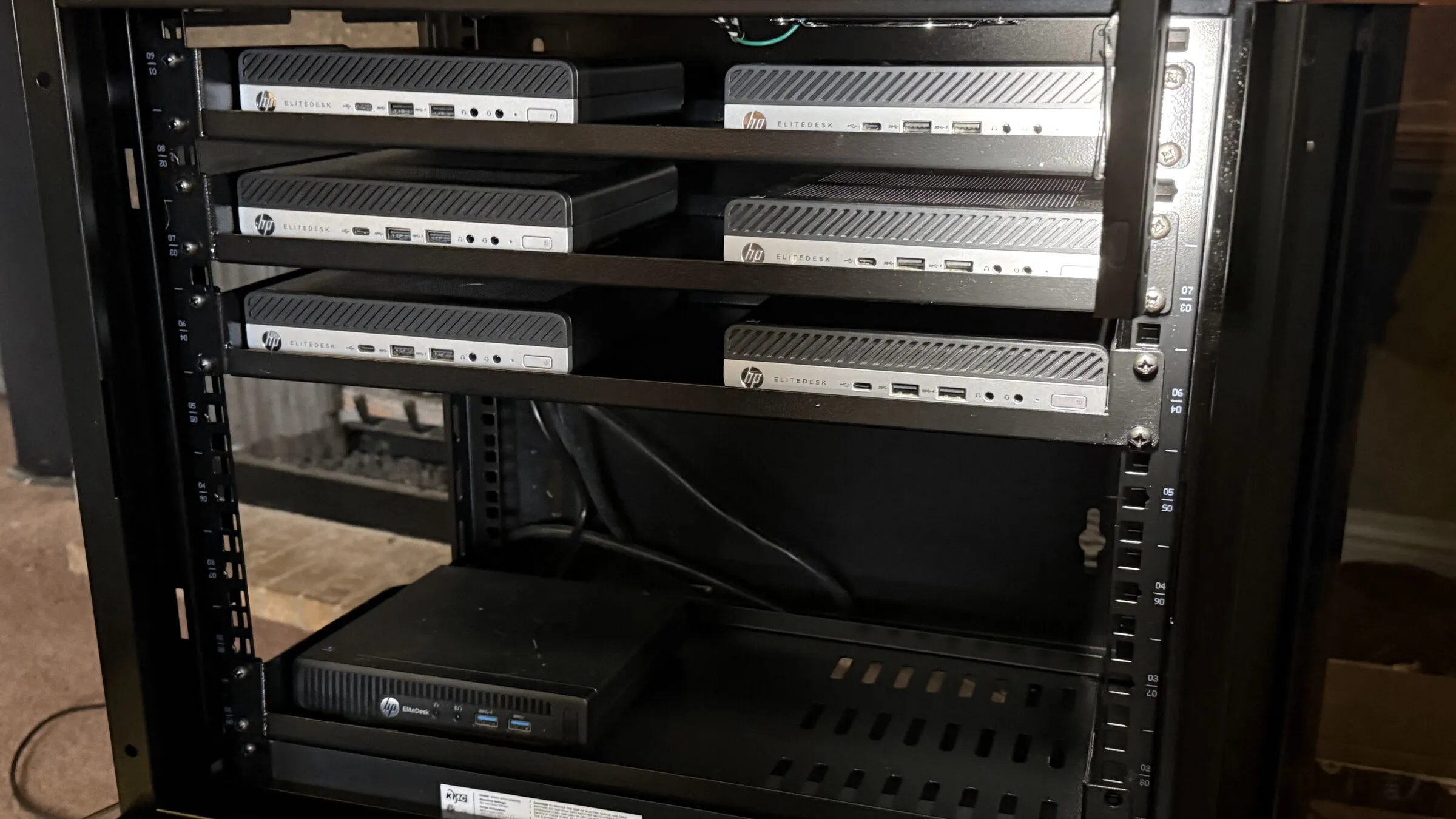
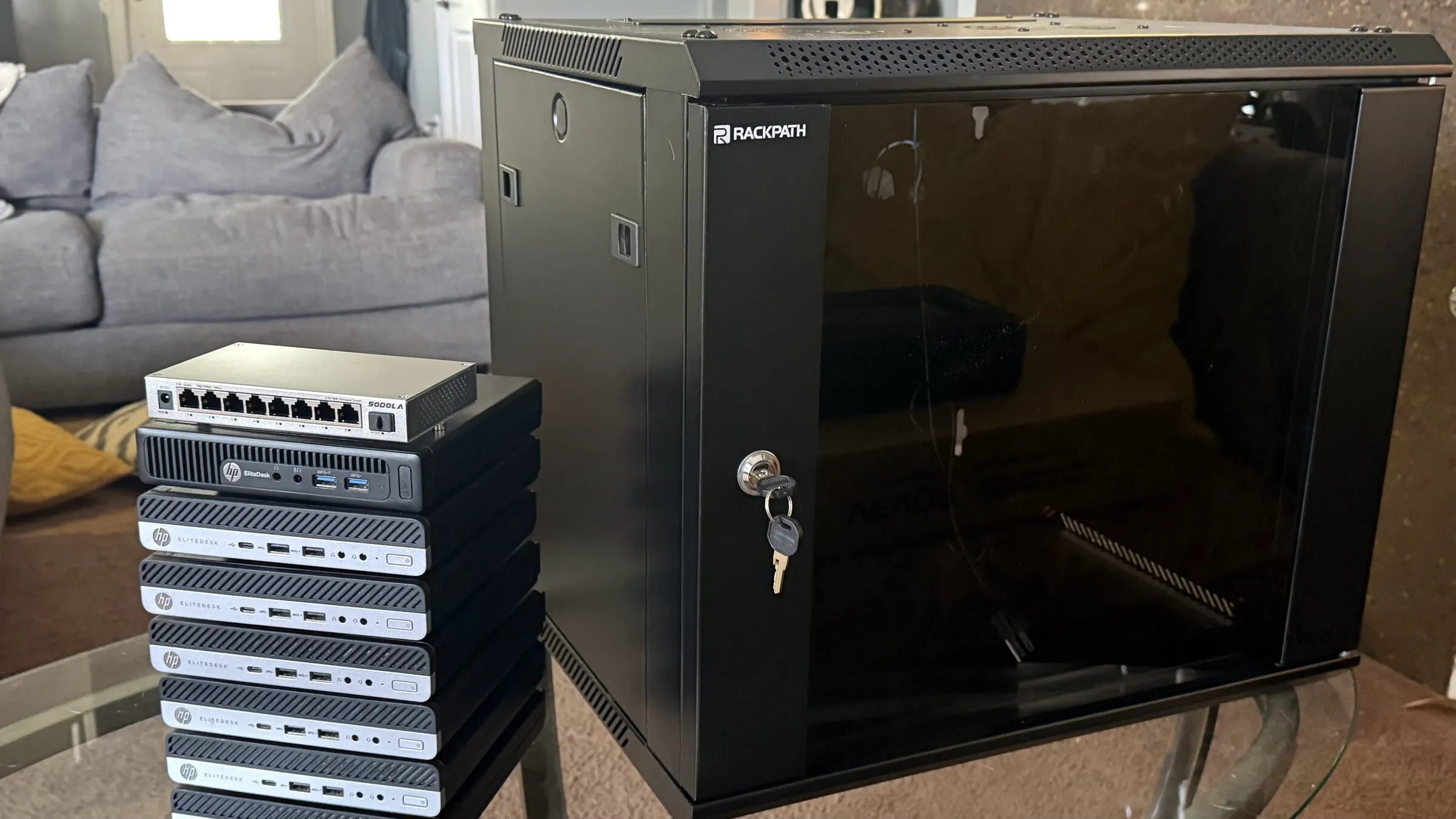
In October 2026 a second cluster joined the NAS at home: seven more HP EliteDesk minis (six 705 G4s and one older 705 G3) in a small wall cabinet, with a 2.5 GbE switch and a UPS. It exists to prove the guides from a blank slate. Every node was installed hands-off from a USB stick and configured by Ansible roles packaged from the office cluster's setup, so anything that only worked because of history on the office machines shows up here first.
Why it's built this way
Three principles, learned the slow way. Used mini PCs beat new towers — the performance-per-dollar of off-lease business machines is unbeatable, and four small nodes teach you clustering in a way one big box never will. CPU-only is a feature — it keeps power draw and noise down, and proves how much of a homelab (including local AI) genuinely doesn't need a GPU. Everything gets documented — the cluster feeds a second-brain knowledge vault, and the posts here are that vault's public face.
Want to build something similar? The Start Here roadmap walks the whole path in order, from first hardware to a monitored, backed-up cluster.
The name over the bench
This cluster is the working floor of Peira Labs (say PAY-rah) — from the Greek πεῖρα, "the trial, the attempt," the root of empirical. I chose the name because it describes what this shelf is for. A lab isn't a display case: it's where claims get tested. When a guide on this site says a command works, it's because that command ran here — on one of these four machines — and the note you're reading is what survived the attempt. The wrong turns got written down too; those are usually the parts that save you at eleven at night.
So when you see the Peira Labs name on this site, the newsletter, or the tools that come out of this cluster, it all points back to this bench: try it for real, measure it, keep the receipts.